No app. No machine. Just pay and go.
Give visitors, patients, shoppers, and staff a simple way to pay for parking from their phone — using nothing but a car park code and their registration number.
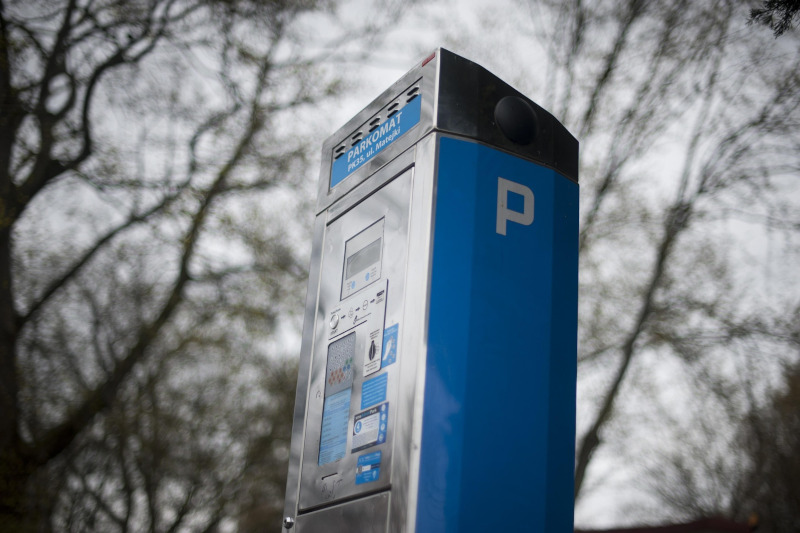
Are parking machines failing for your visitors?
Pay-and-display machines break down. They run out of paper. They only accept cash that nobody carries. And when a visitor can't pay, they leave without paying — or worse, they receive a penalty charge notice and blame you for it.
- Machines require cash or coins most people no longer carry
- Breakdowns mean lost revenue and frustrated visitors
- Paper tickets blow away, get lost, or expire before the driver returns
- No machine means no way to pay — even if the visitor wants to
There's a better way
MyCarPass Pay for Parking lets visitors pay from their own phone in under a minute — no machine, no app, no cash required.
Five simple steps for your visitor
The whole process takes less than a minute and works on any smartphone — no download required.
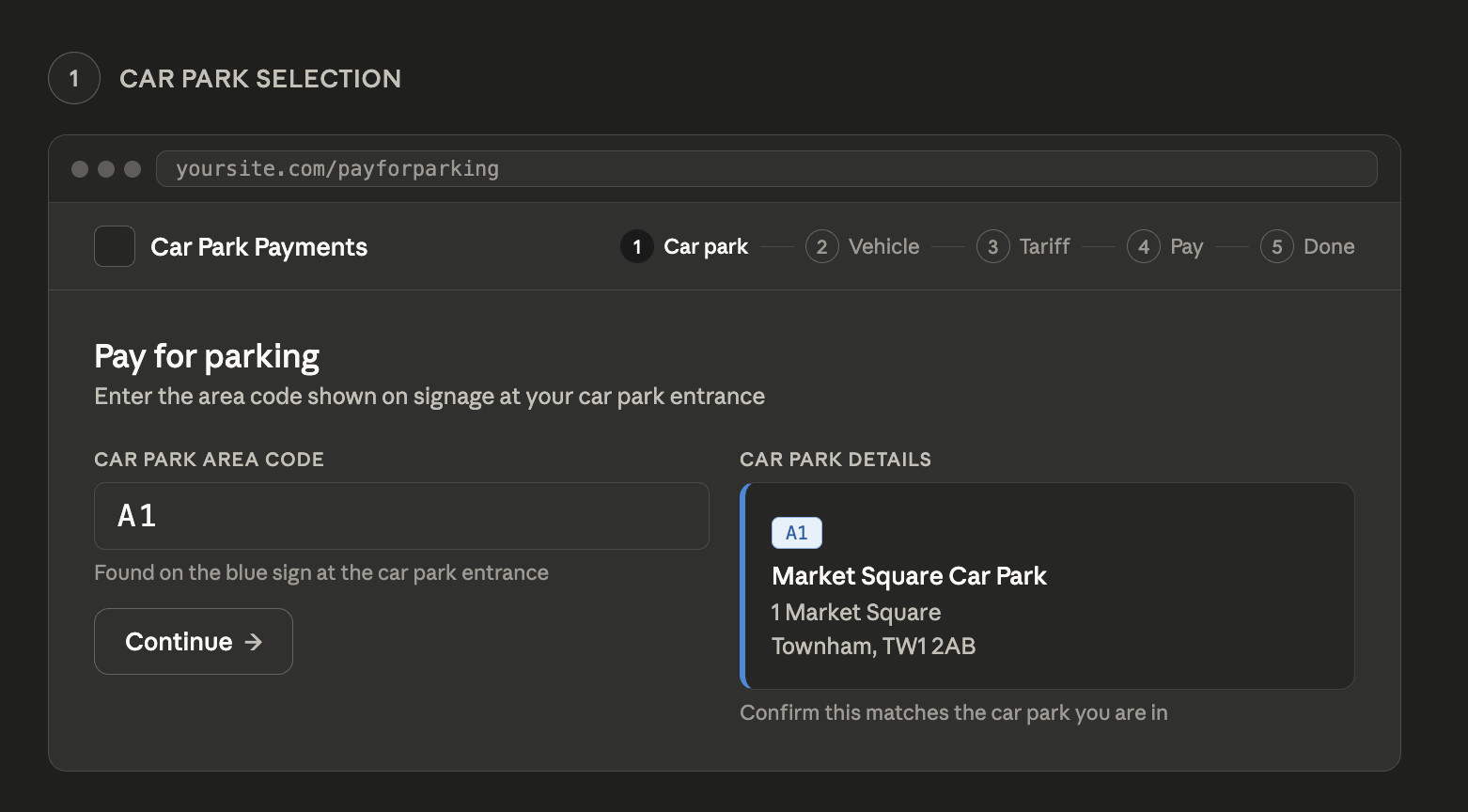
Find the web address on the sign
Every car park displays a simple web address and area code on the entrance signage. The visitor opens it in their phone browser — nothing to download or install.
Enter the area code
They type in the short area code shown on the sign. The car park name and address appears on screen straight away so they know they're in the right place.
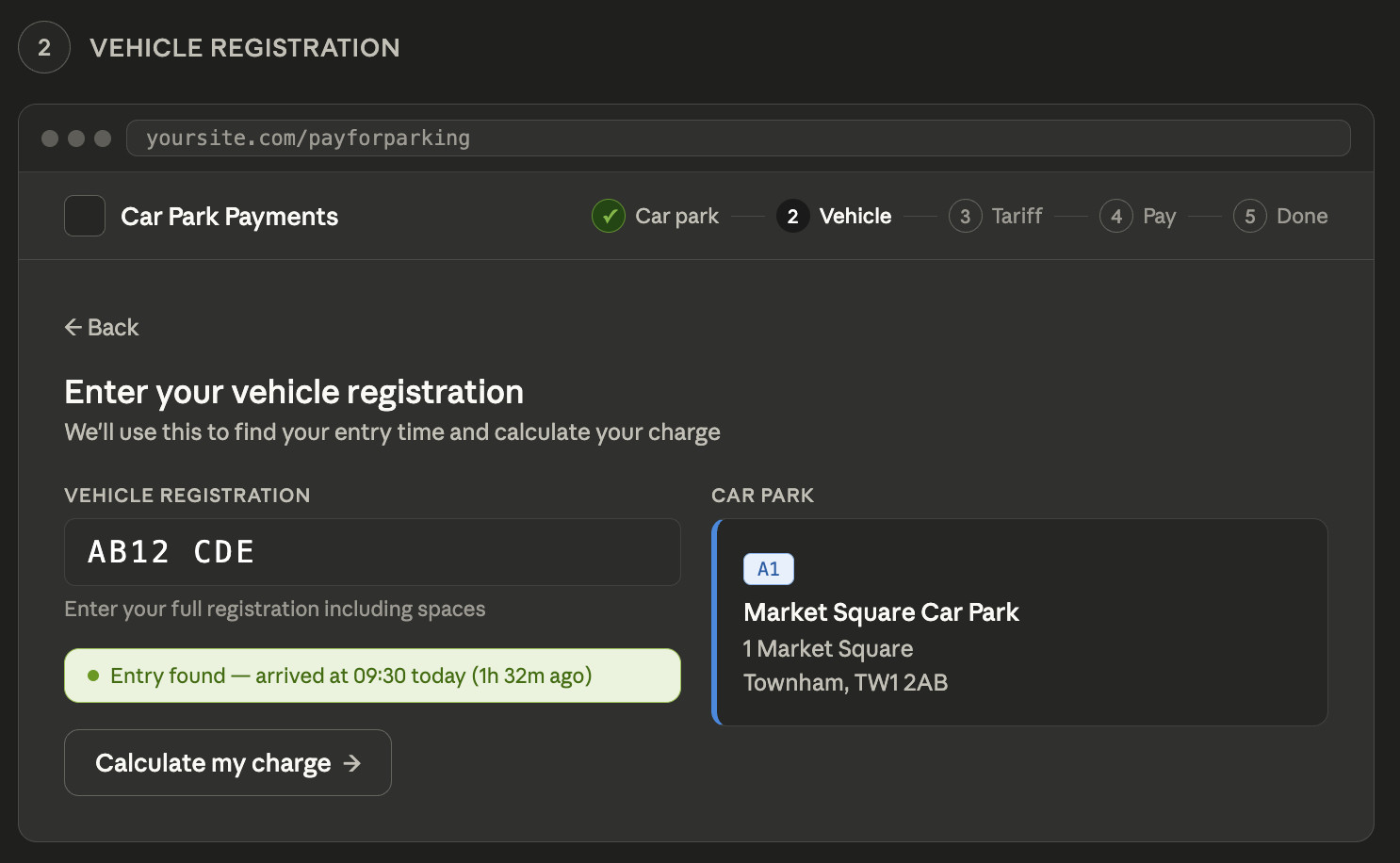
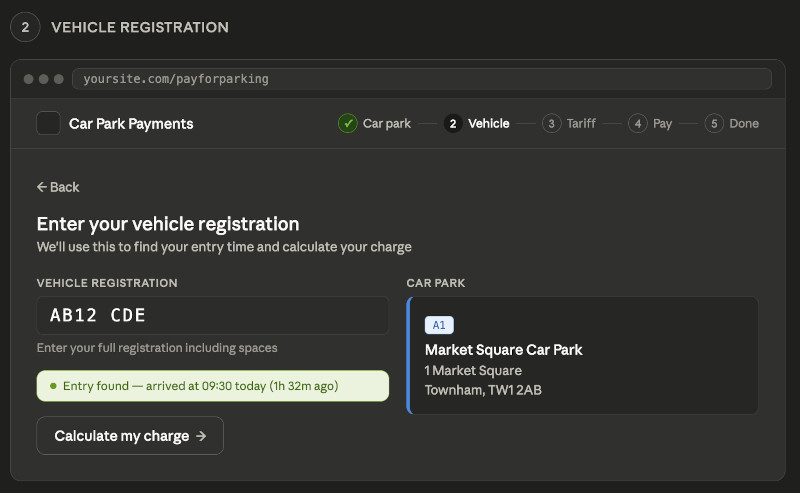
Enter their vehicle registration
They type their number plate. The system instantly checks when they arrived and shows their vehicle details from the DVLA — a helpful reassurance that they've typed the right registration.
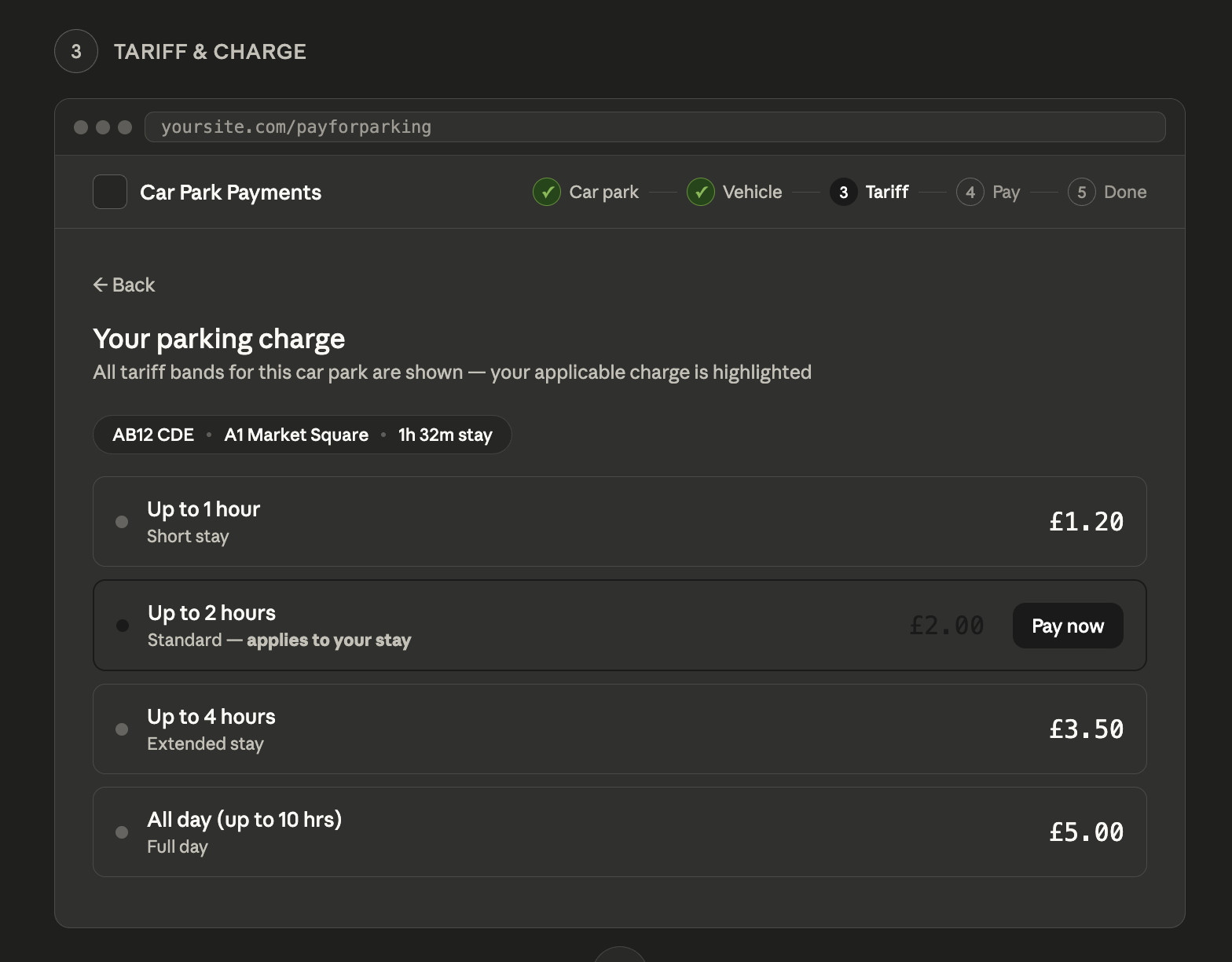
See their charge and pay
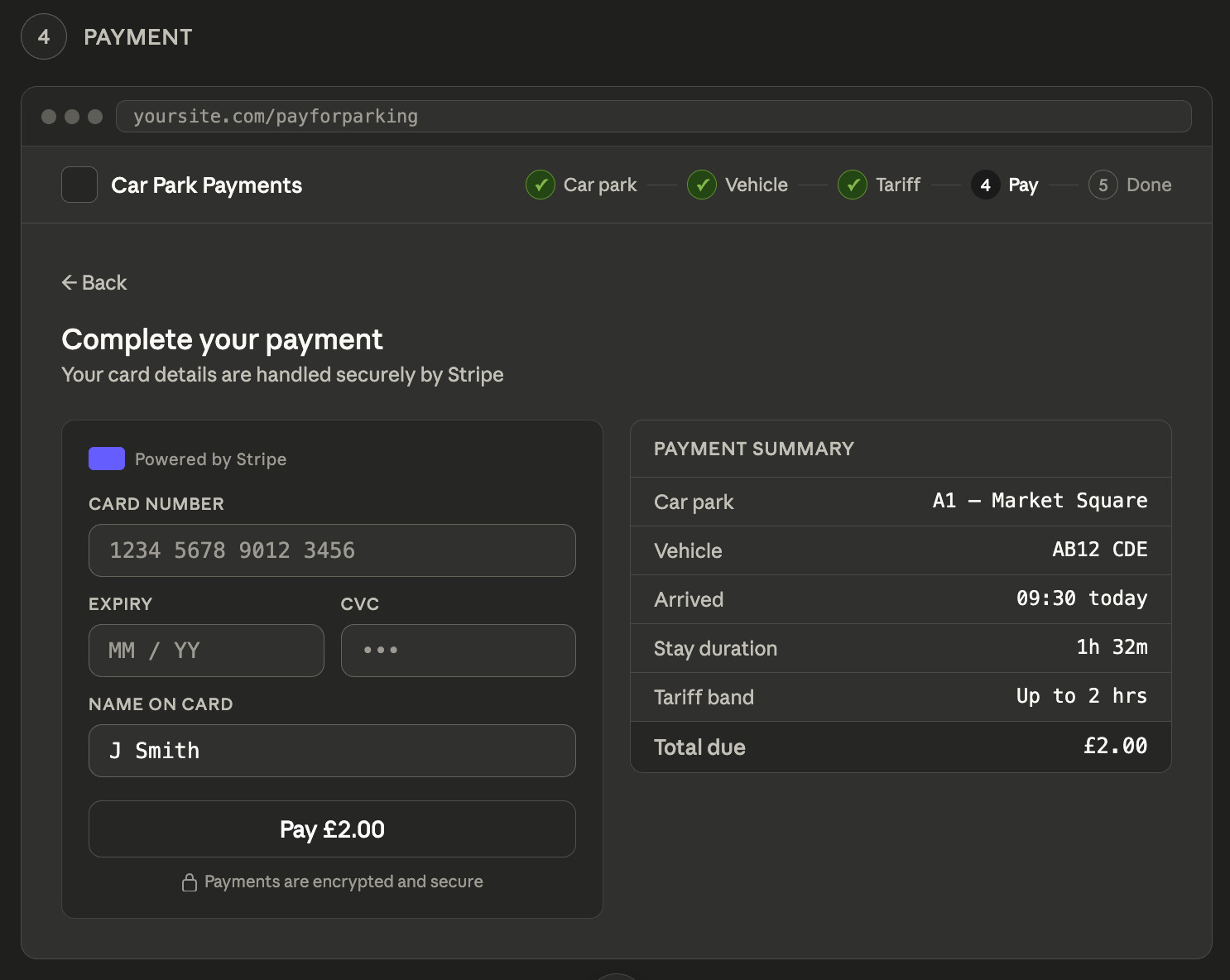
The correct charge is calculated automatically based on how long they've been in the car park. They tap Pay and enter their card details on a secure Stripe payment page — the same technology used by millions of businesses worldwide.
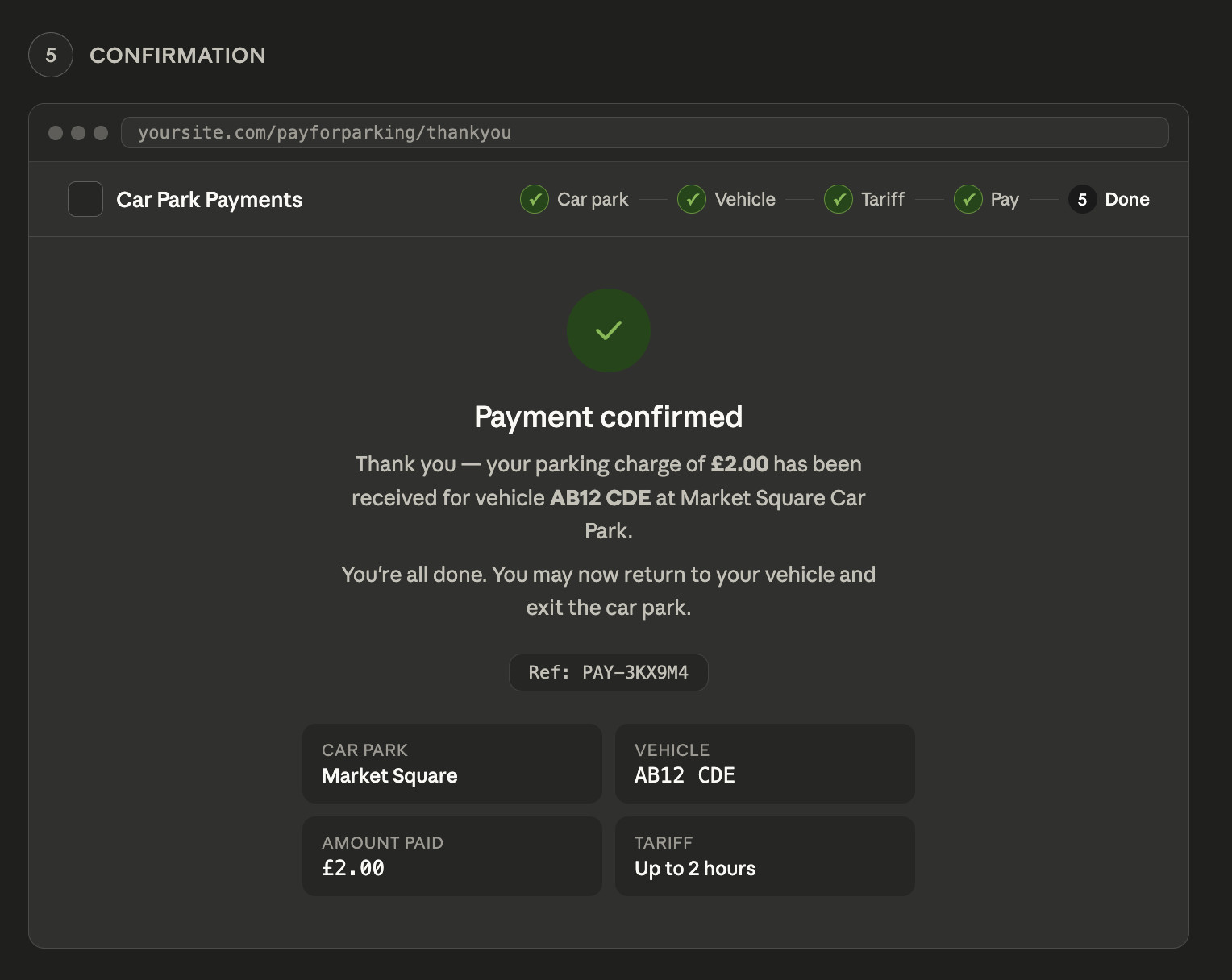
A confirmation screen — and they're done
Payment confirmed. The system automatically updates their record and, if your car park has a barrier, it opens as they approach the exit. No ticket, no receipt needed.
Ready to make parking simpler?
Get in touch and we'll show you how Pay for Parking works with your existing setup — no obligation, no pressure.
Pays here. Drives out there. Automatically.
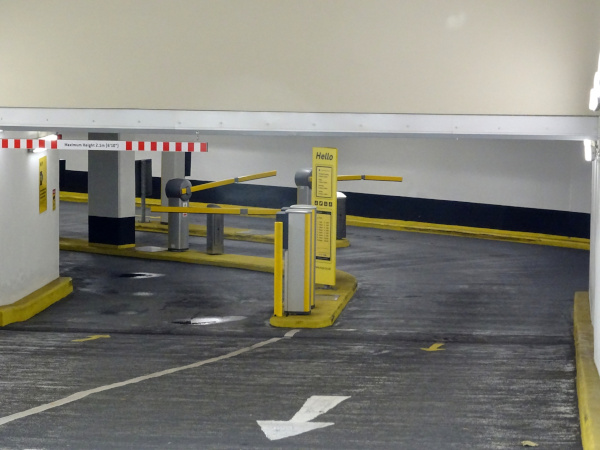
If your car park has an exit barrier, it opens by itself the moment the visitor drives up — no ticket to scan, no intercom button to press. Payment creates a permission record in the system, and the camera reads their plate as they approach.
If you don't have a barrier, the payment still protects the visitor from a Penalty Charge Notice. The system records that they paid, when they arrived, and how long their payment covers — so enforcement only targets vehicles that genuinely haven't paid.
- Barrier opens automatically — no ticket, no button
- Works in car parks without barriers too
- A dwell time window gives the visitor time to walk back to their car
- Payment records are instantly visible to your enforcement team
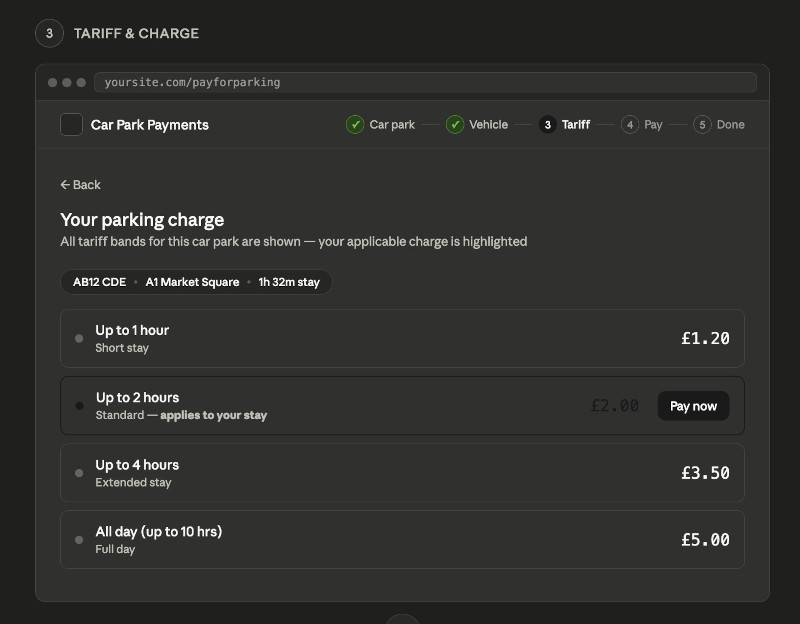
Charges calculated automatically — every time
You set the tariff structure in the system — different rates by time of day, day of the week, or duration — and MyCarPass works out exactly what each visitor owes based on when they arrived and when they're paying.
There's nothing for the visitor to calculate and nothing for your team to manually check. The right charge appears on screen, the visitor pays, and that's it.
Your tariff structure is fully configurable — the above is just one example.
Everything your car park needs. Nothing it doesn't.
Built for the realities of running a busy car park — straightforward to use, straightforward to manage.
No app to download
Visitors use their phone's browser — Safari, Chrome, anything. Works on any smartphone made in the last ten years.
All major cards accepted
Visa, Mastercard, American Express, Apple Pay, Google Pay — all processed securely through Stripe, used by millions of businesses worldwide.
Works with your existing cameras
No need to replace your ANPR cameras or barriers. The payment system integrates with your existing MyCarPass setup.
Arrival time tracked automatically
Your ANPR cameras record the moment a vehicle enters. The visitor never needs to note the time — the system already knows.
Bank-level security
Card details are handled entirely by Stripe — they never touch your system. Fully PCI compliant out of the box, with no extra work on your part.
Every payment recorded
A complete record of every transaction — vehicle, car park, tariff, time, and amount — is stored in your system and available to view or export at any time.
Built for organisations that take parking seriously
Pay for Parking works wherever the public or staff need to pay for a space — across all sectors and site sizes.
Councils & Local Authorities
Offer council-style time-based parking charges without the cost and maintenance of physical machines. Multiple tariffs, multiple car parks, all managed from one place.
NHS Trusts & Hospitals
Give patients, visitors, and agency staff a fast, cashless way to pay. Reduce queues at machines and ensure income is captured even during busy periods.
Universities & Colleges
Manage visitor parking alongside staff permit schemes. Visitors pay on the day; permit holders are already on the system — all handled automatically.
Retail & Leisure
Charge customers for longer stays while keeping short visits free. Time-based tariffs encourage turnover and maximise use of your spaces.
Private Operators
Add a new revenue stream to existing car parks. Simple to set up, no machines to install, and full reporting on every transaction.
Business Parks & Estates
Charge visitors while keeping tenants and contractors on free permits. Different rules for different users, all in the same system.
The right registration. Every time.
When a visitor types their number plate, MyCarPass checks it against the DVLA register and shows the make, colour, and year of the vehicle on screen before they pay.
This simple step catches the most common source of problems — a mistyped registration. If the car shown on screen doesn't match the one outside the window, the visitor can correct it before paying rather than discovering the mistake after receiving a PCN.
Your team does not need to do anything
Every step after the visitor presses Pay is handled automatically. Here's what happens without anyone lifting a finger.
Payment recorded
The transaction is logged instantly — vehicle, car park, tariff, amount, and time — ready to view or export from your dashboard.
Visitor added to whitelist
The vehicle registration is added to your permitted list for the duration of their paid tariff plus a dwell window to allow time to exit.
Barrier opens on exit
If your car park has a barrier, it reads the plate on exit and opens automatically. No ticket, no intercom, no delay.
Enforcement is accurate
Only vehicles that haven't paid are flagged. Paid visitors are protected. Your enforcement team can focus on genuine violations.
Common questions
Answers to the questions we hear most often from car park operators.
Ready to make parking simpler?
Get in touch and we'll show you how Pay for Parking works with your existing setup — no obligation, no pressure.
Get In Touch
Fields marked as * are mandatory.
Related features
Pay for Parking works alongside everything else MyCarPass offers.
ANPR Camera Management
The cameras that record arrivals and power the payment system — monitored and managed from the same dashboard.
Car Park Barriers
Fully integrated barriers that open automatically when a vehicle has a valid payment or permit — no manual intervention needed.
Car Park Tariffs
Configure your pricing — by time of day, day of the week, duration, or zone — and let the system do the calculation every time.